Admin
Admin
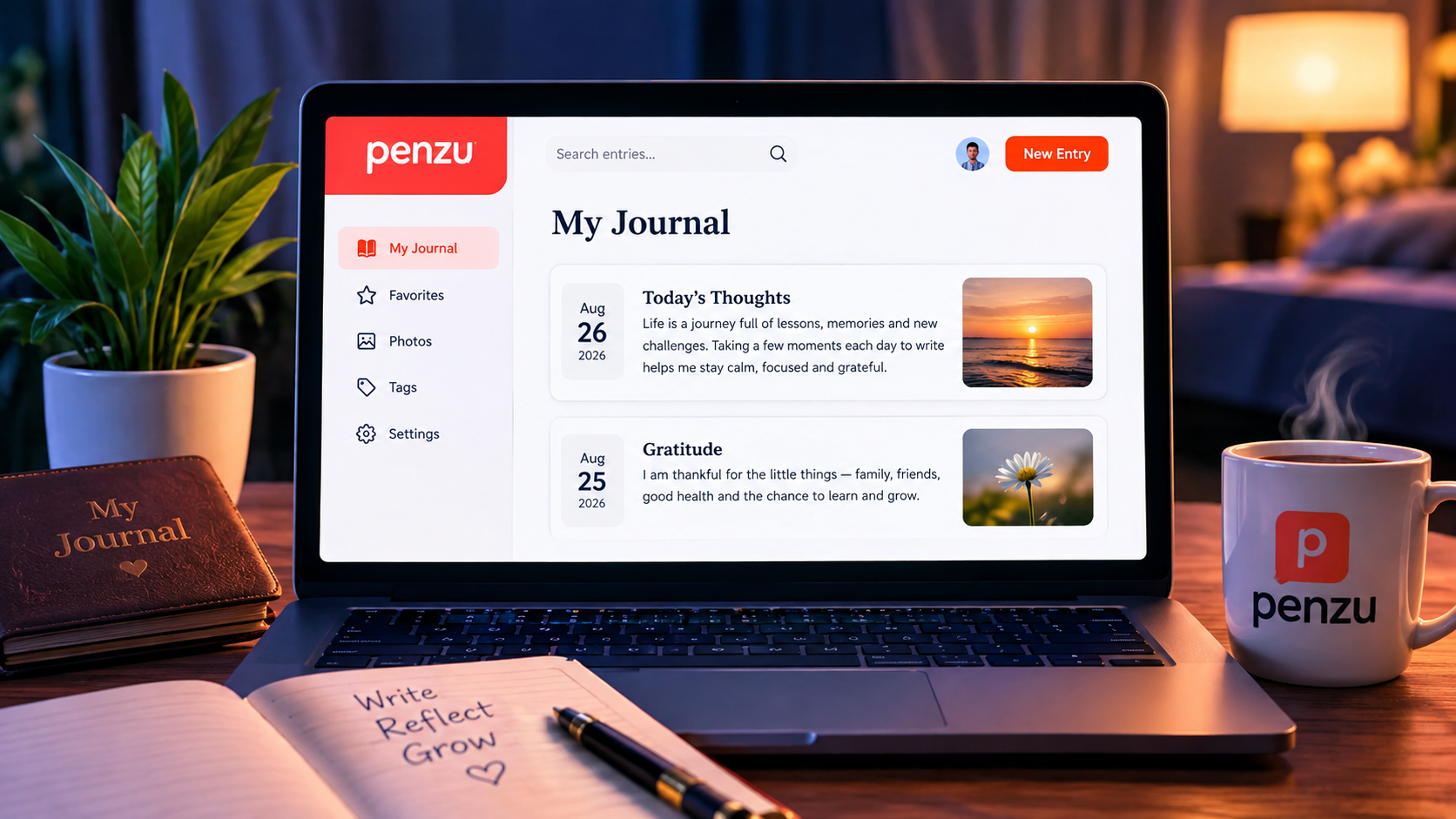
Keeping a journal used to mean carrying around a notebook and a pen. Today, digital journaling has made it possible to record thoughts, memories, goals, dreams, and everyday experiences from almost anywhere. One platform built specifically around this idea is Penzu, an online diary and personal journaling service focused on privacy, convenience, and simple writing.
Penzu allows users to create digital journal entries from a computer, smartphone, or tablet. It also provides features such as automatic saving, reminders, journal locking, customization, search, tagging, and sharing. The platform says it has been used by more than 2 million journalers around the world.
Whether you want a private diary, gratitude journal, dream journal, travel diary, or a simple place to organize your thoughts, Penzu offers tools designed to make regular writing easier.
This guide explains what Penzu is, how it works, its main features, pricing, privacy options, advantages, limitations, and who can benefit from using it.

What Is Penzu?
Penzu is an online diary and personal journal platform designed for private writing. Instead of keeping your thoughts in a physical notebook, you can create and store journal entries online and access them through supported devices.
The service was created around the idea that private writing should be easy to use while still offering meaningful security and privacy features. Penzu describes its core experience as similar to writing on a traditional pad of paper, but with the convenience of cloud-based access.
Users can write about almost anything, including:
- Daily experiences
- Personal goals
- Gratitude
- Dreams
- Travel memories
- School or work experiences
- Creative ideas
- Important milestones
- Food and fitness records
- Long-term reflections
One of the biggest differences between Penzu and a traditional notebook is accessibility. Your journal can be available through the web and mobile apps rather than being tied to a single physical location.
How Does Penzu Work?
Getting started with Penzu is relatively straightforward. You create an account, open a journal, and begin writing entries.
The platform automatically saves entries as you type, helping reduce the risk of losing work because you forgot to manually save it. Penzu also supports access across computers, smartphones, and tablets.
A simple journaling routine might look like this:
- Create your Penzu account.
- Open your journal.
- Give your entry a title.
- Write about your day or chosen topic.
- Add relevant formatting or other available elements.
- Allow the entry to save automatically.
- Return later to review previous writing.
This simplicity is useful for people who want journaling to become a habit without dealing with complicated productivity software.
Key Features of Penzu
Penzu includes a combination of basic journaling tools and more advanced features available through its paid plans.
Unlimited Journal Entries
Penzu’s free Basic plan includes unlimited entries. This is useful for people who want to journal frequently without worrying about reaching a monthly writing limit.
You could write a short entry every day, several entries in a single day, or occasionally create a longer reflection.
Mobile Apps

Penzu provides apps for iOS and Android, allowing users to write and read their journals away from a computer. The platform also supports tablet use.
This can make journaling more convenient because you do not have to wait until you are sitting at a desktop or laptop.
Automatic Saving
Automatic saving is another useful feature. Penzu says it saves entries as you type, which means users do not have to constantly think about manually saving their writing.
For longer personal entries, this can provide additional peace of mind.
Journal Customization
For people who enjoy personalization, Penzu offers different journal covers, fonts, backgrounds, colors, and themes depending on the plan.
Customization can make a digital journal feel more personal rather than simply looking like a standard text editor.
Writing Reminders
Building a journaling habit can be difficult. Penzu provides reminders designed to encourage users to write consistently.
Basic accounts support one active reminder per journal, while Pro and Pro+ users can create more reminders and use more precise scheduling options. Mobile apps can also provide push notifications when enabled.
Search and Organization
Paid features include tools such as entry tagging and broader search capabilities. These can become particularly useful when a journal contains years of writing.
Instead of scrolling through hundreds of entries, users can organize and locate information more efficiently.
Penzu Privacy and Security
Privacy is one of Penzu’s central selling points.
The platform provides journal locking, which is separate from the password used to sign into a Penzu account. This creates another layer of protection for individual journals.
Penzu also offers encryption locking on paid plans. With encryption locking, journal entries are encrypted using the journal password. However, there is an important trade-off: if you forget an encryption-lock password, Penzu says the journal cannot be unlocked or its contents recovered.
That means users should treat an encryption password very carefully.
For anyone keeping highly personal information in a digital journal, it is worth understanding the difference between ordinary journal locking and encryption locking before choosing a security option.
Penzu Pricing and Plans
Penzu offers a free Basic plan along with paid Pro and Pro+ options. Pricing and features can change, so users should check the official pricing page before purchasing. The current published annual prices include $19.99 for Pro and $49.99 for Pro+.
| Plan | Price Shown Annually | Notable Features |
|---|---|---|
| Basic | Free | Unlimited entries, mobile apps, basic covers and fonts, basic reminders |
| Pro | $19.99/year | Encryption locking, custom themes, tagging, PDF export, prompts, Penzu Post |
| Pro+ | $49.99/year | Pro features plus recovery/version history, handwritten fonts, Zen Mode, premium support |
| Pro+ Lifetime | $199.99 | Pro+ features with a one-time payment |
Penzu’s pricing page also lists monthly billing options.
For someone who only wants basic digital journaling, the free version may be sufficient. Users who need stronger privacy controls, customization, organization, or export options may find the paid plans more useful.
Penzu Pro vs. Free: Which One Should You Choose?
The right plan depends mostly on how seriously you intend to use the service.
The free plan may be enough if you:
- Want a simple online diary
- Need unlimited basic entries
- Want mobile access
- Prefer basic customization
- Are just starting a journaling habit
A paid plan may make more sense if you:
- Want encryption locking
- Need multiple journals
- Want entry tagging
- Need PDF export
- Want more customization
- Prefer advanced reminders
- Want additional recovery features
The important point is that upgrading is not necessary simply to begin journaling. Penzu’s Basic plan already provides the core writing experience.
Can You Share Penzu Journal Entries?
Although Penzu focuses strongly on private journaling, users can choose to share individual entries.
According to Penzu’s current support documentation, entries can be shared through private email or a public link. Shared entries are read-only rather than collaborative documents. Penzu does not provide full-journal sharing or collaborative editing.
Public-link sharing can be useful when you want someone to read a specific entry without giving them access to your entire journal.
However, users should always think carefully before sharing personal writing. Once private thoughts are intentionally shared with another person, control over how they are viewed or preserved may be reduced.
Penzu for Different Types of Journaling
One reason digital journaling platforms can be useful is their flexibility. Penzu can be adapted to several different journaling styles.
Daily Journal
A daily journal can help you record what happened, how you felt, and what you learned.
You do not need to write several pages. Even a few sentences can create a useful record of your life.
Gratitude Journal
A gratitude journal focuses on positive moments. You might record three things you appreciated each day.
Over time, these entries can become a meaningful record of memorable experiences.
Dream Journal
Dreams can disappear quickly after waking up. A digital journal gives you a convenient place to record them before details fade.
Travel Journal
Travelers can use a journal to document destinations, experiences, memorable meals, interesting people, and personal observations.
Adding photos where supported can also make entries more memorable.
Five-Year Journal
Long-term journaling can be especially interesting because it lets you compare your thoughts and experiences across different years.
Penzu also provides a five-year journal concept designed around long-term reflection.
Tips for Getting More From Penzu
The best journaling system is one you can actually maintain. You do not need to write perfectly or produce lengthy entries every day.
Try these practical approaches:
- Start with five minutes per day.
- Write at roughly the same time each day.
- Use reminders if you frequently forget.
- Keep entries honest rather than trying to make them sound impressive.
- Use titles that make old entries easy to recognize.
- Create separate journals when your plan supports them.
- Review older entries occasionally.
- Protect your journal password carefully.
- Think carefully before sharing private entries.
- Use prompts when you do not know what to write.
Consistency matters more than entry length.
Advantages and Disadvantages of Penzu
Like any online service, Penzu has strengths and limitations.
Advantages
- Free plan available
- Unlimited basic entries
- Web and mobile access
- Automatic saving
- Privacy-focused design
- Journal locking
- Optional encryption on paid plans
- Writing reminders
- Journal customization
- Entry sharing
- Additional organization tools on paid plans
Potential Limitations
- Some advanced features require a paid subscription.
- Encryption passwords need to be remembered carefully.
- Users who prefer completely offline notebooks may not want a cloud-based journal.
- Some advanced functionality is platform-dependent.
- The experience is primarily designed for journaling rather than general-purpose note-taking.
For many people, these limitations are reasonable because Penzu is focused on doing one thing well: personal digital journaling.
Is Penzu Worth Using?
For someone looking for a dedicated digital diary, Penzu is worth considering.
Its biggest advantage is its focused approach. Instead of trying to combine journaling with dozens of unrelated productivity features, Penzu concentrates on writing, organizing, remembering, and protecting personal entries.
The free plan makes it easy to test the service without immediately paying for a subscription. More advanced users can upgrade if they need encryption locking, greater customization, tagging, PDF export, or other Pro features.
Ultimately, the best choice depends on what you expect from a journal. If simplicity and private reflection are your priorities, Penzu offers a practical solution.
Frequently Asked Questions About Penzu
Is Penzu free to use?
Yes. Penzu offers a free Basic plan with unlimited entries, mobile apps, basic customization, and basic writing reminders. Paid plans add additional features.
Is Penzu available on mobile devices?
Yes. Penzu provides iOS and Android apps, allowing users to access their journals from compatible mobile devices.
Is Penzu private?
Penzu is designed around private journaling and provides account protection and journal-locking options. Paid plans also offer encryption locking. Users should still protect their account and journal passwords carefully.
Can I export my Penzu journal?
PDF export is listed as a feature of Penzu Pro. Therefore, users who specifically need journal export should consider a paid plan.
Can I share a Penzu entry?
Yes. Penzu allows individual entries to be shared by private email or through a public link. Shared entries are read-only rather than collaborative.
What happens if I forget an encryption password?
Penzu states that encryption-locked journals cannot be unlocked or recovered if the encryption password is forgotten. This makes it especially important to keep the encryption password secure.
Final Thoughts
Penzu is a dedicated digital journaling platform for people who want to record their thoughts, experiences, goals, memories, and ideas online. Its combination of unlimited basic entries, automatic saving, mobile access, reminders, customization, and privacy features makes it a flexible option for everyday journaling.
The free plan is a good starting point for beginners, while Pro and Pro+ provide additional tools for people who want stronger security, organization, customization, and writing features.
Most importantly, you do not need to be a professional writer to benefit from journaling. A few honest sentences each day can become a valuable record of your experiences over time. With a platform such as Penzu, maintaining that habit can be simple, accessible, and personal.
Also Read: Butt Puns: The Funniest Cheeky Jokes, One-Liners, and Wordplay