Admin
Admin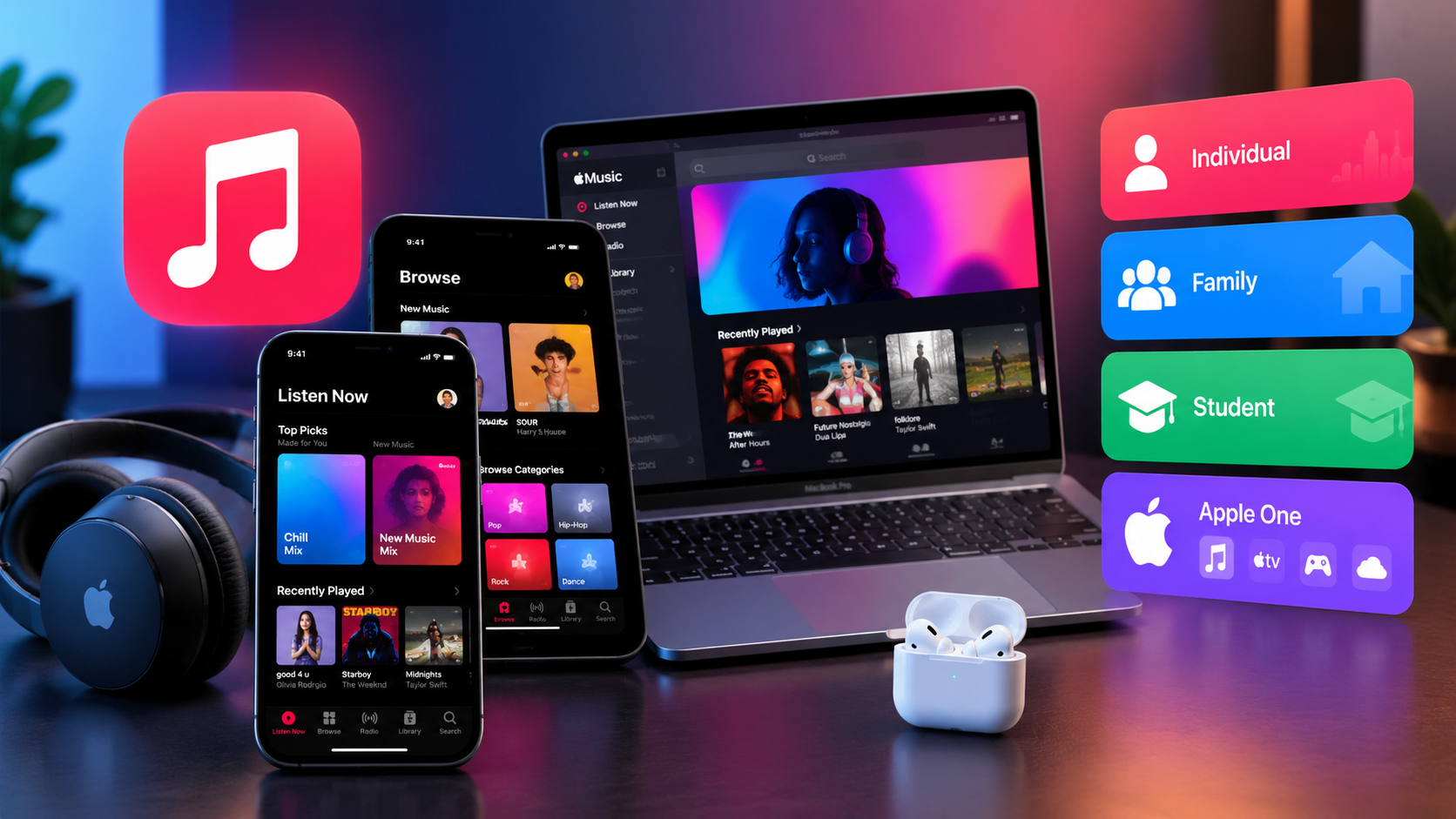
Choosing the right music streaming service can make a big difference to your daily listening experience. Whether you enjoy listening to your favorite artists, discovering new songs, or creating playlists for every mood, Apple Music offers several subscription options to suit different needs and budgets.
Understanding Apple Music plans can help you decide whether an Individual, Family, or Student subscription is the right choice. You can also explore Apple One if you want to combine music streaming with other Apple services.
In this guide, we will explain the available subscription options, their main features, the benefits of each plan, and the important things to consider before subscribing.
What Is Apple Music?
Apple Music is a music streaming service developed by Apple. It provides access to a library of more than 100 million songs, along with curated playlists, personalized recommendations, music videos, lyrics, and other listening features.
Subscribers can listen to music without advertisements, download supported tracks for offline playback, and enjoy compatible high-quality audio formats.
Although Apple Music works seamlessly with Apple devices, it is also available on Android phones, Windows computers, selected smart TVs, and other supported devices.
You can explore subscription options on the official Apple Music website.
Apple Music Plans and Pricing
Apple Music offers different subscription options depending on your country, eligibility, and the features you need. The main plans include Individual, Family, and Student subscriptions, while Apple One offers a bundle that includes Apple Music.
The following table summarizes the main differences.
| Plan | Best For | Main Benefit |
|---|---|---|
| Individual | One person | Full music streaming experience |
| Family | Households and families | Separate accounts for multiple members |
| Student | Eligible students | Discounted subscription pricing |
| Apple One | Apple service users | Music bundled with other Apple services |
Important: Apple Music prices vary by country and can change over time. Always check the official subscription page for the latest price in your region.
1. Apple Music Individual Plan
The Individual Plan is a practical option for anyone who wants a personal music streaming subscription. It provides access to Apple Music’s main listening features without requiring a family group or student verification.
Key Features
- Access to a library of more than 100 million songs.
- Ad-free music streaming.
- Downloads for offline listening.
- Personalized playlists and recommendations.
- Lyrics and supported music discovery features.
- Spatial Audio and lossless audio on compatible content and devices.
- Access to Apple Music Classical where available and included.
This plan is suitable for people who listen to music every day and want control over their own playlists, library, and recommendations.
For example, if you regularly listen to music while studying, traveling, exercising, or relaxing, an Individual subscription gives you a dedicated listening experience.
Who Should Choose the Individual Plan?
Consider this option if you:
- Want a subscription for just yourself.
- Prefer to manage your own music library.
- Do not need to share your subscription with family members.
- Want access to premium Apple Music features without additional bundled services.
For a single listener, this is usually the simplest plan to understand and manage.
2. Apple Music Family Plan
The Family Plan is designed for households that want to share an Apple Music subscription while maintaining separate personal listening experiences.
Through Apple’s Family Sharing feature, the subscription can be shared with up to six people in total, including the family organizer.
Main Benefits of the Family Plan
Each participating member can have their own:
- Music library and saved songs.
- Personalized recommendations.
- Playlists and listening preferences.
- Listening history and account experience.
This arrangement allows several people to enjoy Apple Music without needing to purchase separate Individual subscriptions.
For instance, parents can listen to their favorite artists while children explore music that matches their interests. Each member can maintain a separate library rather than sharing one combined collection.
Is the Family Plan Worth It?
The Family Plan can offer better value when several eligible household members use Apple Music regularly.
To evaluate the savings, compare the Family Plan’s monthly price with the combined cost of separate Individual subscriptions. If multiple people already plan to subscribe, sharing one Family Plan may be more economical.
Keep in mind that Family Sharing has eligibility and setup requirements. Members should follow Apple’s official instructions when joining or organizing a family group.
3. Apple Music Student Plan
The Student Plan offers discounted pricing to eligible students who meet Apple’s verification requirements.
It is designed for students who want access to the main Apple Music experience without paying the standard Individual subscription price.
What Does the Student Plan Include?
Depending on regional availability and current terms, student subscribers can enjoy:
- Access to Apple Music’s music catalog.
- Ad-free listening.
- Offline downloads.
- Personalized playlists and recommendations.
- Supported high-quality audio features.
- Additional benefits, such as Apple TV access where included in the local offer.
The Student Plan generally provides the core listening benefits of the Individual Plan at a lower price.
Who Is Eligible?
Eligibility depends on Apple’s student verification process and the educational institutions it recognizes. Students may need to verify their enrollment and periodically confirm that they still qualify.
The discounted subscription is subject to Apple’s current eligibility rules and duration limits.
If you are a student, check the requirements in your country before subscribing. Do not assume that attending any school or educational course automatically qualifies you.
4. Apple One Subscription
Apple One is a subscription bundle that combines Apple services into one monthly payment. Depending on your country and selected tier, it may include Apple Music alongside services such as Apple TV, Apple Arcade, and iCloud+.
The exact combination of services varies by plan and region.
Benefits of Apple One
Apple One may be useful if you already pay for several Apple services separately.
Potential advantages include:
- One combined monthly subscription.
- Access to multiple services through one bundle.
- Possible savings compared with purchasing the included services separately.
- iCloud+ storage benefits where included in your selected tier.
However, Apple One is not automatically the cheapest choice for every music listener.
If Apple Music is the only service you want, an Individual subscription may be more suitable. If you also use several included services, compare the total costs before deciding.
Apple Music Plans Compared in Detail
The best plan depends on the number of listeners, your eligibility, and whether you need other Apple services.
| Feature | Individual | Family | Student | Apple One |
|---|---|---|---|---|
| Personal music access | Yes | Yes, per member | Yes | Included where offered |
| Ad-free music | Yes | Yes | Yes | Yes, through Apple Music |
| Offline downloads | Yes | Yes | Yes | Yes, through Apple Music |
| Multiple members | One subscriber | Up to six people total | One subscriber | Depends on tier |
| Student verification | No | No | Required | No special student requirement for the bundle |
| Other Apple services | Not bundled by default | Not bundled by default | May include Apple TV | Multiple services included |
| Best use case | Individual listening | Household sharing | Eligible students | Multiple Apple services |
Feature availability and bundle contents can vary by country, device, and subscription terms.
What Features Do Apple Music Subscribers Get?
Although subscription options differ, Apple Music offers several features that make the service appealing to music fans.
A Large Music Library
Apple Music provides access to a catalog containing more than 100 million songs. Subscribers can explore different genres, albums, artists, and playlists in one place.
Music availability may vary by country and licensing agreements.
Offline Listening
You can download supported songs and albums to compatible devices for listening without an internet connection.
This is useful when traveling, commuting, or trying to reduce mobile data usage. Downloaded subscription music generally requires an active subscription and may need periodic account or subscription verification.
Personalized Recommendations
Apple Music uses listening activity and preferences to help recommend songs, albums, and playlists.
As you discover artists and save music, your listening experience can become more tailored to your interests.
High-Quality Audio
Apple Music supports lossless audio and Spatial Audio with Dolby Atmos on compatible content and devices.
The actual listening experience depends on the track, device, headphones, settings, and network conditions. Lossless audio can also use more storage or data than standard-quality streaming.
Listening Across Devices
Apple Music is available across a range of supported devices, including iPhone, iPad, Mac, Android phones, Windows computers, and selected smart TVs.
You can also listen through a web browser using the Apple Music website.
How to Choose the Best Apple Music Plan
Before subscribing, consider how you listen to music and what you can comfortably afford.
Choose Individual if you are the only person who needs access and want a straightforward subscription.
Choose Family if several people in your household regularly use Apple Music. Compare the shared price with the cost of separate subscriptions.
Choose Student if you meet Apple’s eligibility requirements and want a discounted personal plan.
Choose Apple One if you use multiple services included in the bundle and the combined price makes financial sense.
It is also worth checking whether your mobile carrier, newly purchased device, or another eligible promotion offers a trial or subscription benefit.
How to Subscribe to Apple Music
Getting started is generally straightforward.
- Open the Apple Music app on a compatible device, or visit the official Apple Music website.
- Sign in with your Apple Account or follow the instructions to create one.
- Review the subscription options available in your country.
- Select the plan that matches your needs.
- Add or confirm an accepted payment method.
- Review any free-trial terms, renewal date, and recurring price before confirming.
If you qualify for a Student Plan, complete the required verification steps.
Once your subscription is active, you can search for artists, create playlists, save albums, and download supported music for offline listening.
Things to Know Before Paying for Apple Music
Before selecting a subscription, keep these considerations in mind:
- Regional pricing: Your local price may differ from prices shown in other countries.
- Automatic renewal: Paid subscriptions generally renew automatically unless canceled according to the applicable terms.
- Free trials: Trial eligibility and duration vary. Some offers are limited to new subscribers or eligible devices.
- Student verification: Discounted student access requires meeting Apple’s requirements.
- Family Sharing: The Family Plan requires the appropriate family-sharing setup.
- Internet and storage: Streaming uses data, while offline downloads require device storage.
- Subscription cancellation: Check the renewal date and cancellation instructions for your billing method.
These details can help you avoid unexpected charges and choose a subscription that suits your routine.
Frequently Asked Questions
1. How much do Apple Music plans cost?
Apple Music subscription prices vary by country and plan. Individual, Family, and Student subscriptions have different prices, and Apple One bundles several services for a combined fee. Visit the official Apple Music website for current pricing in your region.
2. Which Apple Music plan is the cheapest?
The Student Plan is often the least expensive paid option for people who qualify. However, eligibility depends on Apple’s verification rules. If you are not eligible, compare the Individual and Family options based on your needs.
3. Can I share Apple Music with my family?
Yes. The Family Plan supports up to six people in total through Family Sharing. Each member can maintain their own music library, playlists, and personalized recommendations.
4. Does Apple Music offer a free trial?
Apple sometimes offers free trials to eligible new subscribers and may provide promotional offers through eligible devices or partners. The availability and duration of these offers vary, so check the current terms before signing up.
5. Can I use Apple Music on Android and Windows?
Yes. Apple Music is available on supported Android devices and Windows computers, as well as Apple devices and selected smart TVs. You can also listen through a compatible web browser.
6. Can I cancel an Apple Music subscription at any time?
You can generally cancel your subscription according to Apple’s cancellation terms. Access usually continues until the end of the current paid period or trial, although the exact timing depends on the offer and billing arrangements. Check your subscription settings to confirm your renewal date and cancellation status.
Final Thoughts
Understanding Apple Music plans makes it easier to choose a subscription that fits your listening habits and budget. The Individual Plan is a straightforward option for one person, the Family Plan is useful for households, and the Student Plan offers savings to eligible students. Apple One is worth considering if you also use several other Apple services.
Before making a decision, compare the current prices in your country, review any promotional offers, and check the subscription terms carefully. Choosing the right option will help you enjoy your favorite music while keeping your monthly spending under control.
Ultimately, the best Apple Music plan is the one that gives you the features you need without paying for extras you rarely use.
Also Read: